Solibri API - Opening Resources with Solibri Autorun
When you use Solibri interactively, you select a role before checking. A role loads a set of resources, including rulesets and classifications:
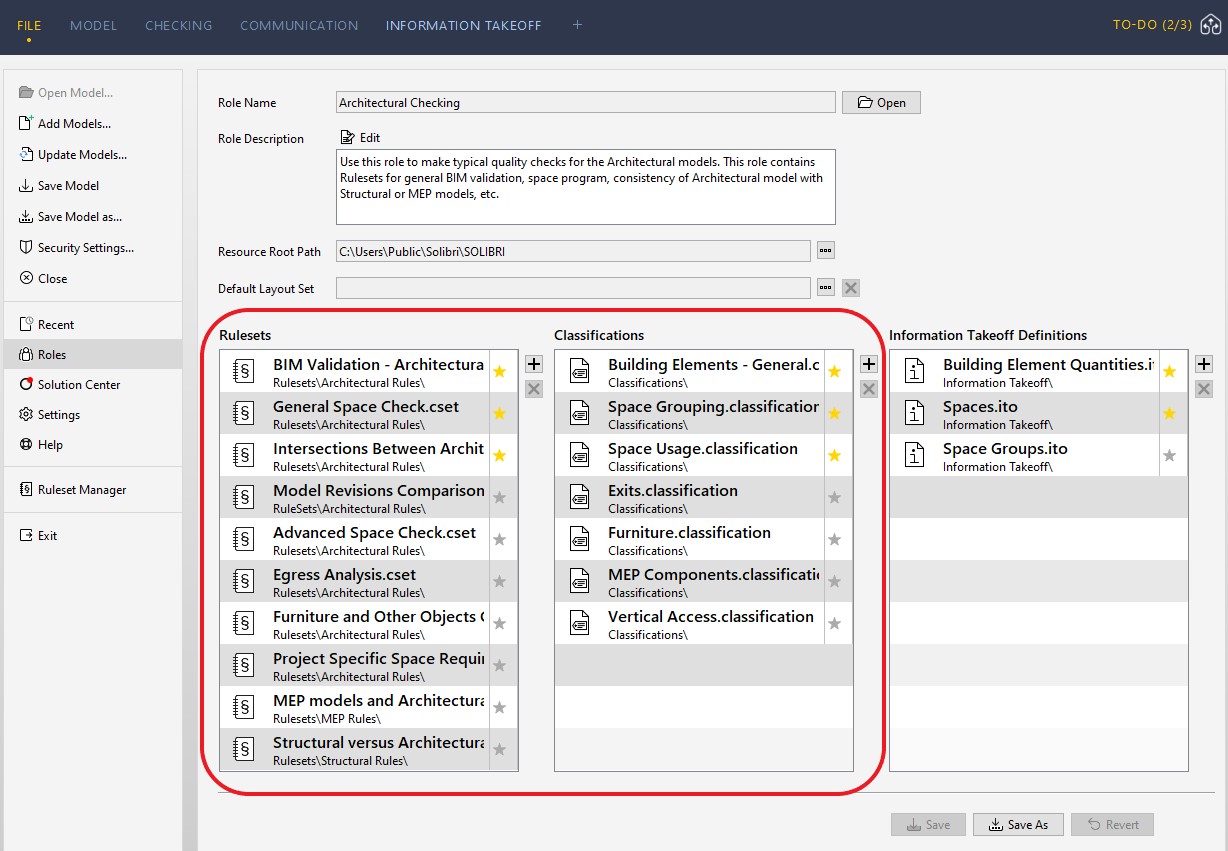
The role you selected in your last session is remembered. When you start Solibri through Autorun, that same role is applied automatically.
As a result, Autorun checking uses both the resources you open in the XML file and the resources from the selected role.
To avoid loading role resources, clear the role selection:
-
Click File, then Settings, then General.
-
Enable the Show Role Selection checkbox:
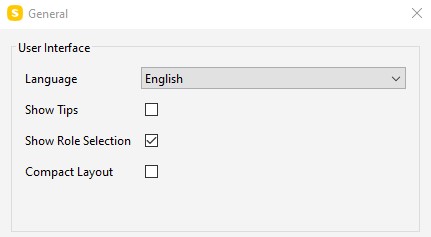
- Click OK.
The next time you start Solibri, you can choose no role (or a different one) before Autorun runs.
Alternatively, keep a role selected and rely on its resources during Autorun. If you need additional resources beyond the role, specify them in the XML file.
 |
|---|
| When you open an existing SMC model with Autorun, the model may already contain embedded rules and rulesets that are used during checking. |